
Twitter Video Downloader
Retatube Twitter Video Downloader is an online tool that allows users to download videos directly from Twitter (X) using a simple video link. The tool is designed to deliver fast processing speeds and supports high-quality video downloads, including HD and up to 4K resolution when available from the original source.
Twitter Video Downloader: Efficiently Save Twitter (X) Videos Online with Retatube.info
In today’s digital landscape, the social media platform X (formerly known as Twitter) has evolved far beyond its origins as a microblogging site. It is now a primary hub for high-impact multimedia content, including breaking news clips, viral trends, and creative short-form videos (Reels). Despite this, a significant limitation of the platform remains: the lack of a built-in feature to save these videos directly to a device for offline use. This gap is filled by specialized utilities such as the Twitter Video Downloader provided by Retatube.info. This article offers an in-depth analysis of how this tool functions, its core features, and a comprehensive guide to utilizing it effectively for personal and educational purposes.
1. Introduction: The Growing Demand for Archiving Twitter Content
The speed at which information moves on Twitter is unparalleled. From educational documentaries and political analysis to entertainment and “how-to” tutorials, the platform’s video library is vast. Users frequently find themselves needing to download Twitter video content for several practical reasons:
-
Offline Accessibility: Allowing users to view content in areas with poor internet connectivity or to save on mobile data costs.
-
Research and Reference: Content creators, researchers, and students often need to preserve video evidence or tutorials that might otherwise be deleted or lost in a fast-moving feed.
-
Cross-Platform Sharing: Facilitating the sharing of interesting clips with friends or colleagues on messaging apps that may not support direct Twitter link previews.
Given these needs, a reliable Twitter video download online service like Retatube.info serves as a vital bridge, enabling users to manage their digital content consumption with greater flexibility.
2. What is the Twitter Video Downloader on Retatube.info?
The Twitter Video Downloader is a sophisticated web-based application designed to extract direct download links from public posts on X (Twitter). Unlike traditional software that requires installation, this tool operates entirely within your web browser.
Key characteristics of this online tool include:
-
No Installation Required: As a cloud-based utility, it eliminates the need to download potentially risky .exe or .dmg files, thereby preserving your PC’s storage and security.
-
Zero Login Requirements: The tool operates independently of your Twitter account. You do not need to provide credentials, ensuring your account’s privacy remains intact.
-
Server-Side Extraction: The complex process of parsing the URL and fetching the video file is handled by Retatube’s servers, ensuring a lightweight experience for the user’s hardware.
3. Core Features of the Tool
Retatube.info has integrated several high-performance features into its Twitter Video Downloader to ensure a premium user experience:
3.1. High-Definition (HD/SD) Support
The tool analyzes the source video to provide multiple quality options. If the original uploader provided the video in high definition, users can choose to download the HD version for maximum clarity. Alternatively, Standard Definition (SD) options are available for those prioritizing storage space.
3.2. Versatile Support for Twitter Reels and Video Posts
Whether the content is a standard video attachment or the newer “Reels” format, the downloader is updated regularly to recognize and process all media types currently hosted on the X platform.
3.3. Minimalist and User-Friendly Interface
The website avoids the cluttered layouts common in the tool industry. Its streamlined design ensures that the focus remains on the input field, allowing for a quick and distraction-free Twitter video download online experience.
3.4. Cross-Device Synchronization
While optimized for PC users, the web-responsive design ensures that the same high level of performance is available whether you are using a desktop, laptop, or tablet.
4. Step-by-Step Guide: How to Use the Tool on a PC
Using the Twitter Video Downloader is designed to be a frictionless process, requiring only three primary steps:
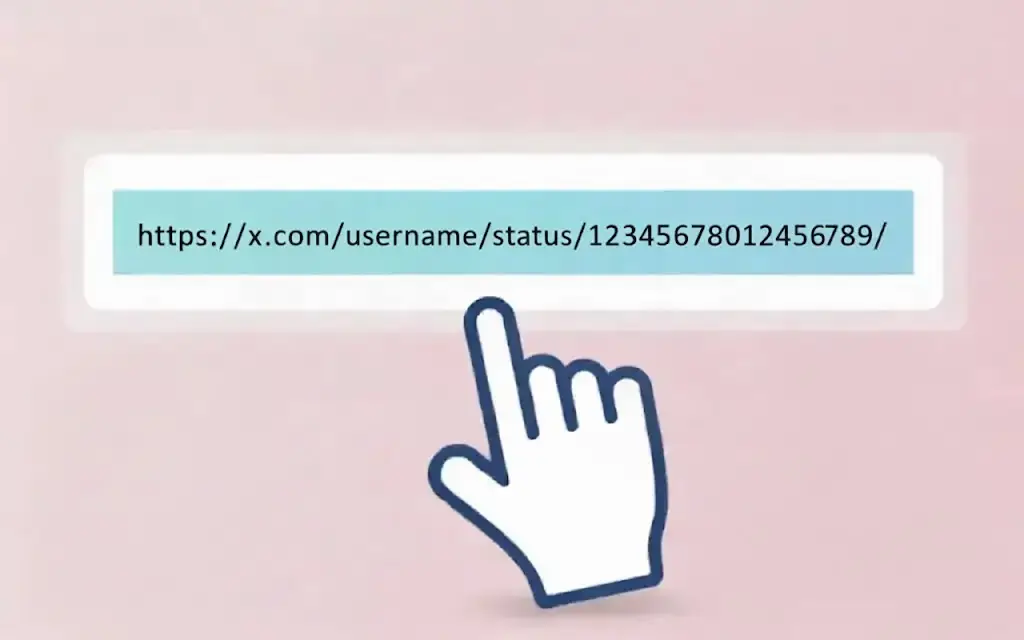
Step 1: Copy the Twitter Video URL
-
Open your web browser on your PC and navigate to Twitter (X.com).
-
Locate the specific post containing the video you wish to save.
-
Click the “Share” icon (the upward arrow) located below the tweet.
-
Select “Copy link to Tweet.” The URL is now saved to your clipboard.
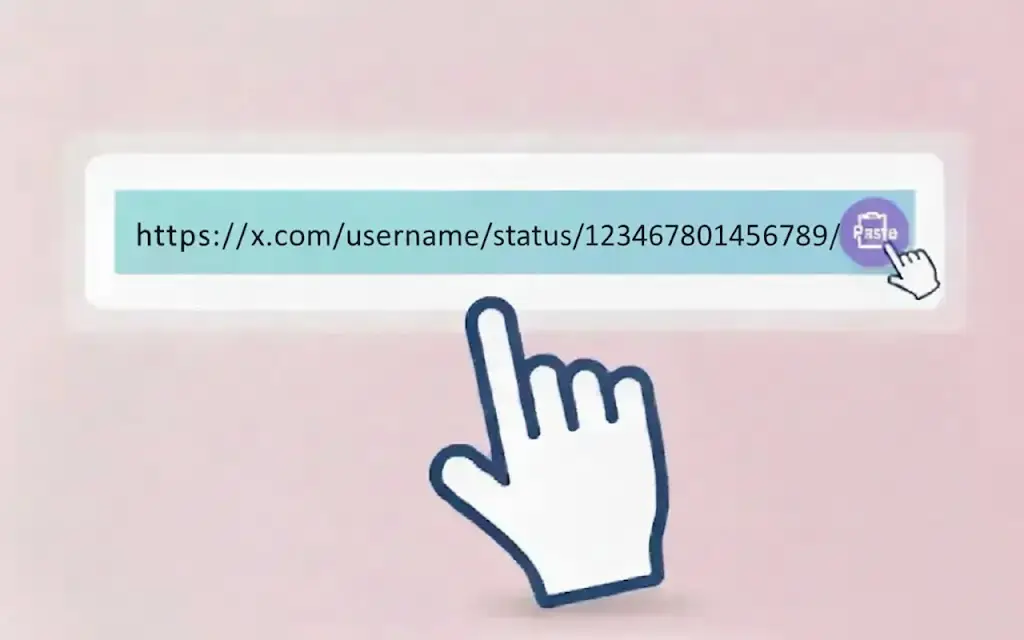
Step 2: Paste the Link into Retatube.info
-
Open a new tab and visit
https://retatube.info/. -
In the prominently displayed input box, right-click and select “Paste,” or use the keyboard shortcut
Ctrl + V.
Step 3: Analyze and Download
-
Click the “Download” button adjacent to the input field.
-
Wait a few seconds while the system processes the link and generates available file formats.
-
A list of resolutions (e.g., 720p, 480p, 360p) will appear. Click the “Download” button next to your preferred quality. The video will be saved to your PC’s default download folder.

5. Distinct Advantages of Choosing Retatube.info
When searching for a way to download Twitter video content, several factors make Retatube.info a preferred choice:
-
Completely Free of Charge: There are no subscription fees, hidden costs, or “premium” features locked behind a paywall.
-
No Watermarks: The tool provides the original video file as hosted on Twitter. It does not overlay any branding or logos, ensuring the content remains professional and clean.
-
Unlimited Usage: There are no daily limits on the number of videos you can process. You are free to archive as many clips as your project requires.
-
Optimized Processing Speed: High-speed servers ensure that the conversion from URL to a downloadable file happens almost instantaneously.
-
Support for 4K and Ultra-HD: For videos uploaded in superior resolutions, the tool strives to provide the highest possible bit-rate download link.
6. Compatibility and System Requirements
The tool is built on modern web standards, ensuring wide-ranging compatibility:
Supported Browsers
Retatube performs optimally on the following PC browsers:
-
Google Chrome: Recommended for the fastest script execution.
-
Microsoft Edge: Fully supported for Windows users.
-
Mozilla Firefox: High stability and privacy support.
-
Safari: Optimized for macOS users.
Operating Systems
Because it is a web-based utility, it functions perfectly across:
-
Windows & macOS: Full functionality via any standard desktop browser.
-
Linux: Compatible with all major distributions.
-
Mobile Support: While focusing on PC, it also supports Android and iOS via mobile browsers like Chrome and Safari.
7. Security and Data Privacy
Retatube.info prioritizes the safety of its users through several layers of protection:
-
SSL Encryption (HTTPS): The entire website is encrypted, ensuring that your connection is private and secure from external interference.
-
No Personal Data Collection: The tool does not track your identity, nor does it ask for personal information such as emails or phone numbers.
-
Safe File Delivery: The download links are served directly from media content servers, minimizing the risk of malware or corrupted files.
8. Disclaimer and Fair Use Policy
As a technology provider, Retatube.info encourages responsible use of its services:
-
Public Content Only: This tool is designed to work exclusively with public tweets. It cannot access or download content from private (locked) accounts due to X’s privacy protocols.
-
Respect Copyright: The downloader is intended for personal use, archiving, and educational purposes. We do not support or encourage the unauthorized re-uploading or commercial exploitation of copyrighted content.
-
Platform Terms: Users should remain aware of Twitter’s (X) Terms of Service. The responsibility for the ethical use of downloaded material rests solely with the user.
9. Frequently Asked Questions (FAQ)
Q1: Why does the tool fail to recognize certain links?
Answer: This usually occurs if the tweet is from a private account, the video has been deleted, or the link was copied incorrectly. Please ensure the post is visible to the public.
Q2: Does downloading a video reduce its original quality?
Answer: No. The tool fetches the original file quality as stored on the platform’s servers. For the best result, always select the highest resolution provided in the list.
Q3: Is there a fee for downloading 4K videos?
Answer: No. Every resolution option, including 4K where available, is provided entirely for free.
Q4: Does the site support other platforms besides Twitter?
Answer: Yes, Retatube is a multi-platform utility. For specialized Pinterest content, you may also find [liên kết đáng ngờ đã bị xóa] helpful.
Q5: Where are the videos saved on my PC?
Answer: By default, files are saved in your system’s “Downloads” folder, though this can be adjusted within your browser’s settings.
Conclusion
The Twitter Video Downloader provided by Retatube.info stands as an essential, secure, and highly efficient solution for anyone looking to download Twitter video content for offline use. By combining high-definition support, user privacy, and an intuitive interface, it provides a reliable service for students, researchers, and casual users alike. We encourage all users to utilize this tool responsibly and respect the intellectual property of content creators.